LED指示灯的工作原理与应用
VC基于CStatic的实现 在很多应用程序,特别是工控程序中,经常需要读入并显示一些开关量,比如串口通信是否正常,电源是否打开,电机工作是否正常等等。这些开关量的显示用一些控件来实现。这些控件根据输入的开关量显示不同颜色和文字用来表示打开和关闭。NI公司专门开发了一套LabWindows控件,专门用于程序开发,当然这是要花钱的.本文以CStatic为基类,编写了一个LED灯,它可根据输入的bool值显示开关,类似于vb里的shape控件。 NI控件 具体实现请请参考CLED类,当然这个类很简单,完全可以自己实现,当时如过你不想自己动手编写,那么可以发邮件向我要:visualsan@yahoo.cn.也可以直接复制文章低部的类的头文件和cpp文件。下面是程序运行时的截图: //类头文件 #if!defined(AFX[_]LED[_]H[_][_]BDAD9442[_]11BB[_]4917[_]8E43[_]0E2ACC246FE3[_][_]INCLUDED[_]) #define AFX[_]LED[_]H[_][_]BDAD9442[_]11BB[_]4917[_]8E43[_]0E2ACC246FE3[_][_]INCLUDED[_] #if [_]MSC[_]VER 1000 #pragma once #endif//[_]MSC[_]VER 1000 //LED.h:header file // #define CIRCLE 0 #define SQUARE 1 #define ELLIPSE 2 ///////////////////////////////////////////////////////////////////////////// //CLED window class CLED:public CStatic { //Construction public: CLED(); //Attributes public: //Operations public: COLORREF m[_]crBK,m[_]crOnFG,m[_]crOffFG; CBrush*m[_]brOnFG,*m[_]brOffFG; int m[_]iType; bool m[_]bOn; CString m[_]sOnString,m[_]sOffString; bool m[_]bTextOn; //Overrides //ClassWizard generated virtual function overrides //{{AFX[_]VIRTUAL(CLED) //}}AFX[_]VIRTUAL //Implementation public: int GetType(); bool GetTextOnOff(); CString GetOnText(); BOOL GetOnOff(); COLORREF GetOnFgColor(); CString GOffText(); COLORREF GetOffFgColor(); COLORREF GetBKColor(); void SetTextOnOff(bool val); void SetOffText(CString str); void SetOnText(CString str); void SetBKColor(COLORREF C); void SetOnOff(bool val); void SetType(int type); void SetOffFgColor(COLORREF C); void SetOnFgColor(COLORREF C); virtual~CLED(); //Generated message map functions protected: //{{AFX[_]MSG(CLED) afx[_]msg int OnCreate(LPCREATESTRUCT lpCreateStruct); afx[_]msg void OnPaint(); afx[_]msg void OnDestroy(); afx[_]msg void OnSize(UINT nType,int cx,int cy); //}}AFX[_]MSG DECLARE[_]MESSAGE[_]MAP() private: void DrawFigure(); }; ///////////////////////////////////////////////////////////////////////////// //{{AFX[_]INSERT[_]LOCATION}} //Microsoft Visual C++will insert additional declarations immediately before the previous line. #endif//!defined(AFX[_]LED[_]H[_][_]BDAD9442[_]11BB[_]4917[_]8E43[_]0E2ACC246FE3[_][_]INCLUDED[_]) ///////////////////////////////////////////////////////////////// ///////////////类cpp文件 //LED.cpp:implementation file // #include"stdafx.h" #include"colortext.h" #include"LED.h" #ifdef [_]DEBUG #define new DEBUG[_]NEW #undef THIS[_]FILE static char THIS[_]FILE=[_][_]FILE[_][_]; #endif ///////////////////////////////////////////////////////////////////////////// //CLED CLED:CLED() { m[_]crBK=RGB(255,255,255); m[_]crOnFG=RGB(0,255,0); m[_]crOffFG=RGB(255,0,0); m[_]iType=0; m[_]bOn=true; m[_]brOnFG=new CBrush(m[_]crOnFG); m[_]brOffFG=new CBrush(m[_]crOffFG); m[_]sOnString="on"; m[_]sOffString="off"; m[_]bTextOn=true; } CLED:~CLED() { delete m[_]brOffFG; delete m[_]brOnFG; } BEGIN[_]MESSAGE[_]MAP(CLED,CStatic) //{{AFX[_]MSG[_]MAP(CLED) ON[_]WM[_]CREATE() ON[_]WM[_]PAINT() ON[_]WM[_]DESTROY() ON[_]WM[_]SIZE() //}}AFX[_]MSG[_]MAP END[_]MESSAGE[_]MAP() ///////////////////////////////////////////////////////////////////////////// //CLED message handlers int CLED:OnCreate(LPCREATESTRUCT lpCreateStruct) { if(CStatic:OnCreate(lpCreateStruct)==-1) return-1; //TODO:Add your specialized creation code here return 0; } void CLED:OnPaint() { CPaintDC dc(this);//device context for painting //TODO:Add your message handler code here DrawFigure(); //Do not call CStatic:OnPaint()for painting messages } void CLED:OnDestroy() { CStatic:OnDestroy(); //TODO:Add your message handler code here } void CLED:SetOnFgColor(COLORREF C) { m[_]brOnFG-DeleteObject(); m[_]crOnFG=C; m[_]brOnFG-CreateSolidBrush(m[_]crOnFG); OnPaint(); } COLORREF CLED:GetOnFgColor() { return m[_]crOnFG; } void CLED:SetOffFgColor(COLORREF C) { m[_]brOffFG-DeleteObject(); m[_]crOffFG=C; m[_]brOffFG-CreateSolidBrush(m[_]crOffFG); OnPaint(); } COLORREF CLED:GetOffFgColor() { return m[_]crOffFG; } void CLED:SetType(int type) { if(type 0||type 2) { return; } m[_]iType=type; OnPaint(); } int CLED:GetType() { return m[_]iType; } void CLED:DrawFigure() { CClientDC pdc(this); CBrush b; CRect r; GetClientRect(r); b.CreateSolidBrush(m[_]crBK); pdc.SelectObject(&b); pdc.FillRect(r,&b); pdc.SetBkMode(TRANSPARENT); if(m[_]bOn==true) { CPen pen(0,0,m[_]crOnFG); pdc.SelectObject(&pen); pdc.SelectObject(m[_]brOnFG); } else { CPen pen(0,0,m[_]crOffFG); pdc.SelectObject(&pen); pdc.SelectObject(m[_]brOffFG); } if(m[_]iType==0)//circle { CRect r1; if(r.Width()r.Height()) { r1.left=r.left+(r.Width()-r.Height())/2.0; r1.right=r.right-(r.Width()-r.Height())/2.0; r1.top=r.top; r1.bottom=r.bottom; } else { r1.left=r.left; r1.right=r.right; r1.top=r.top+(r.Height()-r.Width())/2.0; r1.bottom=r.bottom-(r.Height()-r.Width())/2.0; } pdc.Ellipse(r1); } if(m[_]iType==1)//squre { pdc.Rectangle(r); } if(m[_]iType==2)//ellipse { pdc.Ellipse(r); } if(!m[_]bTextOn) return; if(m[_]bOn) pdc.TextOut(r.CenterPoint().x-m[_]sOnString.GetLength()*3.5,r.CenterPoint().y-10,m[_]sOnString,m[_]sOnString.GetLength()); else pdc.TextOut(r.CenterPoint().x-m[_]sOffString.GetLength()*3.5,r.CenterPoint().y-10,m[_]sOffString,m[_]sOffString.GetLength()); } void CLED:SetOnOff(bool val) { m[_]bOn=val; OnPaint(); } BOOL CLED:GetOnOff() { return m[_]bOn; } void CLED:OnSize(UINT nType,int cx,int cy) { CStatic:OnSize(nType,cx,cy); OnPaint(); } void CLED:SetBKColor(COLORREF C) { m[_]crBK=C; OnPaint(); } COLORREF CLED:GetBKColor() { return m[_]crBK; } void CLED:SetOnText(CString str) { m[_]sOnString=str; OnPaint(); } CString CLED:GetOnText() { return m[_]sOnString; } void CLED:SetOffText(CString str) { m[_]sOffString=str; OnPaint(); } CString CLED:GOffText() { return m[_]sOffString; } void CLED:SetTextOnOff(bool val) { m[_]bTextOn=val; OnPaint(); } bool CLED:GetTextOnOff() { return m[_]bTextOn; }
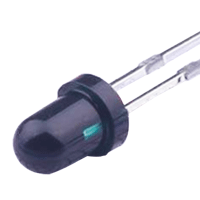
在网路卡中的作用 一般来讲,每块网路卡(NIC)都具有1个以上的 LED (Light Emitting Diode,发光二极体)指示灯,用来表示网卡的不同工作状态,以方便我们查看网卡是否工作正常。典型的LED指示灯有Link/Act、Full、 Power等。Link/Act表示连接活动状态,Full表示是否全双工(Full Duplex),而Power是电源指示等。 在正常情况下,在不传送资料时,网卡的指示灯闪烁较慢,传送资料时,闪烁较快。无论是不亮,还是长亮不灭,都表明有故障存在。如果网卡的指示灯不正常,需关掉电脑更换网卡。对于Hub的指示灯,凡是插有网线的埠,指示灯都亮。由于是Hub,所以,指示灯的作用只能指示该埠是否连接有终端设备,不能显示通信状态。 LED应用在这类产品的指示灯时,所选用的 LED产品 等级普遍是比较一般的产品,像是Lamp型LED。而比较高阶的网路卡产品,会采用SMD型LED,除了省空间外,使用的电流也会比较校 除了手机背光以外,SMD型LED也很适合担任各种电子装置的指示灯,普遍是绿色、红色、橘色、蓝色等??色,价格上的差异日益缩小化。








 售前客服
售前客服